3.071 Temporary Account Password
Temporary Account Password
If a user is having trouble accessing their account due to either no password on the account or not remembering the current password, one way to assist is to get a new temporary password for the account. Getting a temporary password will allow that user to log in with the password regardless of what the current account password is. The temporary password does not change the current account password and if the user remembers the current password then the temporary password can be ignored.
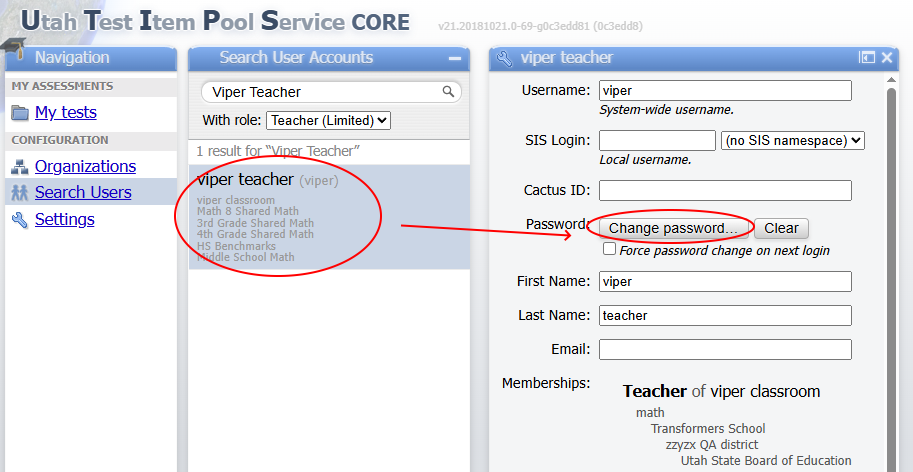
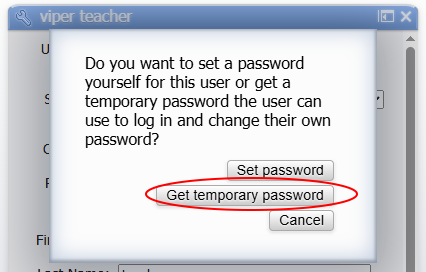
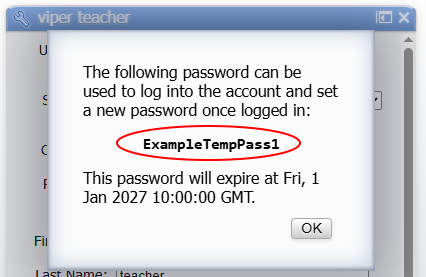
To get a temporary password, log into UTIPS and find the account to get the temporary password for. Click on Change password... on the editor and in the pop up choose Get temporary password. The temporary password will be displayed along with when the password will expire. Once the password is expired it can no longer be used and a new temporary password will need to be retrieved. If the user or an adminisrtator changes the account password, the temporary password will be invalidated.